MixUp Pixel v1
MixUp Pixel v1 is an addressable RGB-lighting controller. It supports static color, built-in effects, and stepped effect-speed control.
Connection
Section titled “Connection”- Connect the strip to the controller, verify its direction, and apply power.
- In MixUp Control App, tap Find Devices.
- Select MixUp Pixel v1, or search for every type.
- Allow Bluetooth access.
- Find the controller and tap Connect.
- Wait for state synchronization, then open the dashboard.
If the app reports a connection but the controls remain unavailable, wait for the initial query to finish. Receiving the current state is especially important for Pixel v1 because some controller commands are relative.
Features
Section titled “Features”| Feature | Range or result |
|---|---|
| Entire-strip power | On or off |
| Static color | RGB, no opacity |
| Built-in effect | Scene 0–255 |
| Effect speed | Step 0–6 |
| Action scenes | Power, selected mode, color or effect, and speed |
Open Devices → MixUp Pixel v1:
- Enable Entire Strip switches the complete output on or off;
- Color opens the system color picker;
- Effect selects a number from 0 to 255;
- Effect Speed uses steps from 0 to 6.
Static color and effects are mutually exclusive modes. The last action you select determines what plays and what is saved in the scene.
Control screen
Section titled “Control screen”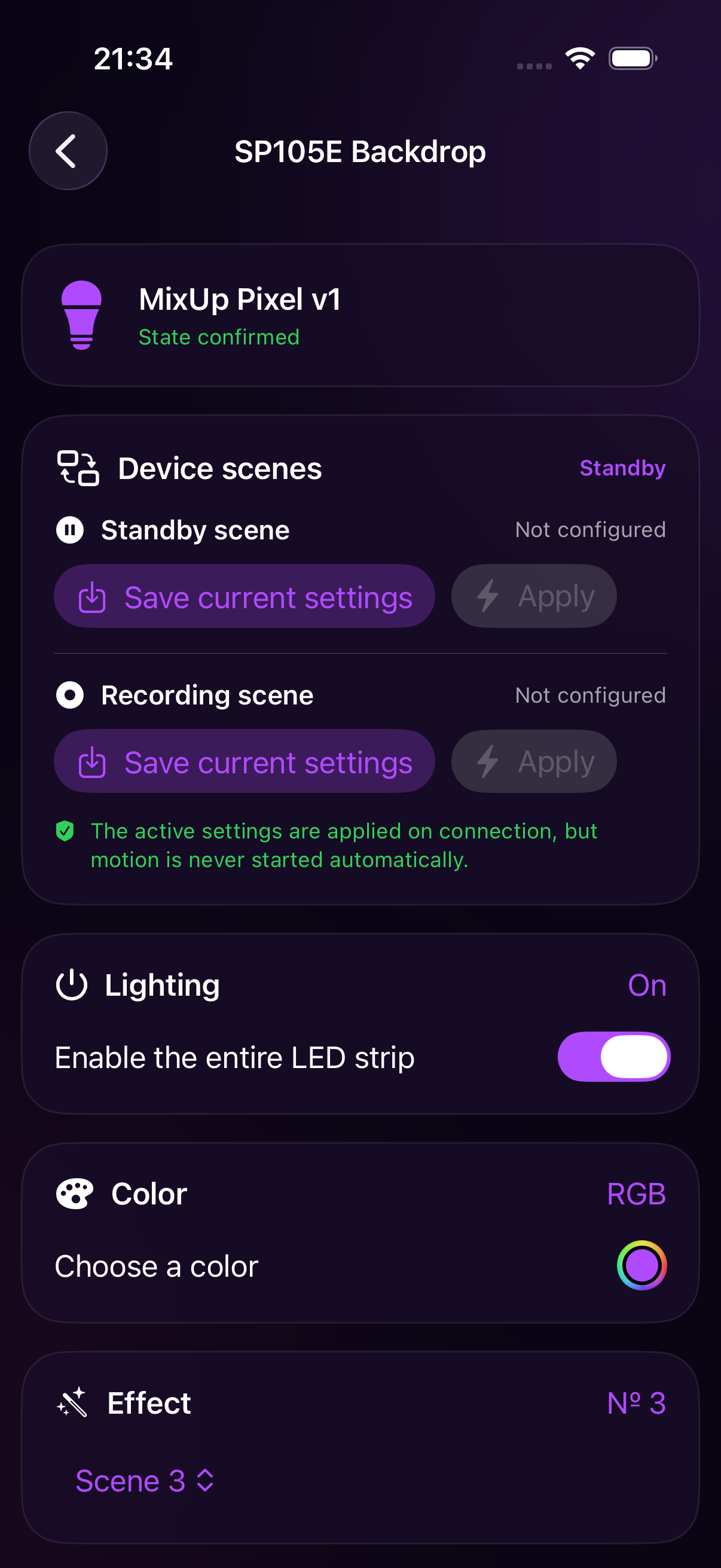
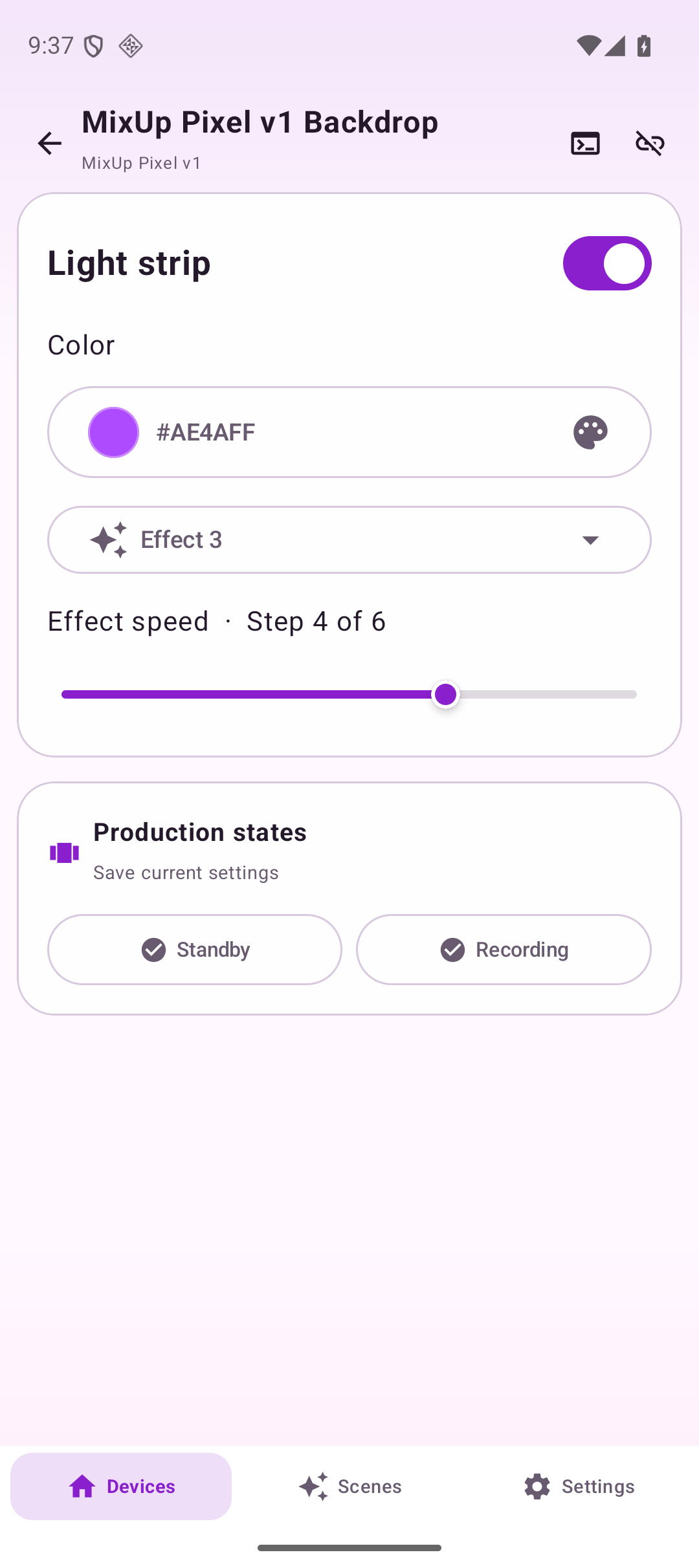
Configure an Action scene
Section titled “Configure an Action scene”- Open the MixUp Pixel v1 card.
- Turn on the strip.
- Select either a static Color or an Effect. For an effect, also set a speed from 0 to 6.
- Under Device Scenes, tap Save Current Settings for Waiting or Recording.
- Configure a different color or effect and save the other work state.
- Test each scene with Apply.
For example:
- Waiting — a calm static brand color;
- Recording — a dynamic effect at moderate speed;
- or use an attention-grabbing effect while waiting and an even static color during capture.
Notes and useful practices
Section titled “Notes and useful practices”- Pixel v1 intentionally has no absolute-brightness control: its open protocol only offers relative brightness changes and cannot reliably restore an exact value.
- Do not save a scene immediately after connecting. Wait until the app receives a confirmed state, or relative power and speed commands may use incomplete data.
- Speed has only seven steps. This is a controller limitation, not low slider precision.
- When saving an Action scene, the app records the active mode. An old effect number must not override a more recently selected static color.
- Frequent rapid changes are sent at a safe interval, so the controller may respond with a short delay.
For combined device workflows, see Group control and Action scenes.