Your workspace
Stellar Video Maker helps you create video for the LED surfaces of a Stellar booth: combine video, images, text and colour, check the result in 2D and 3D, then export an MP4 and send it to the controller. This is the Windows guide.
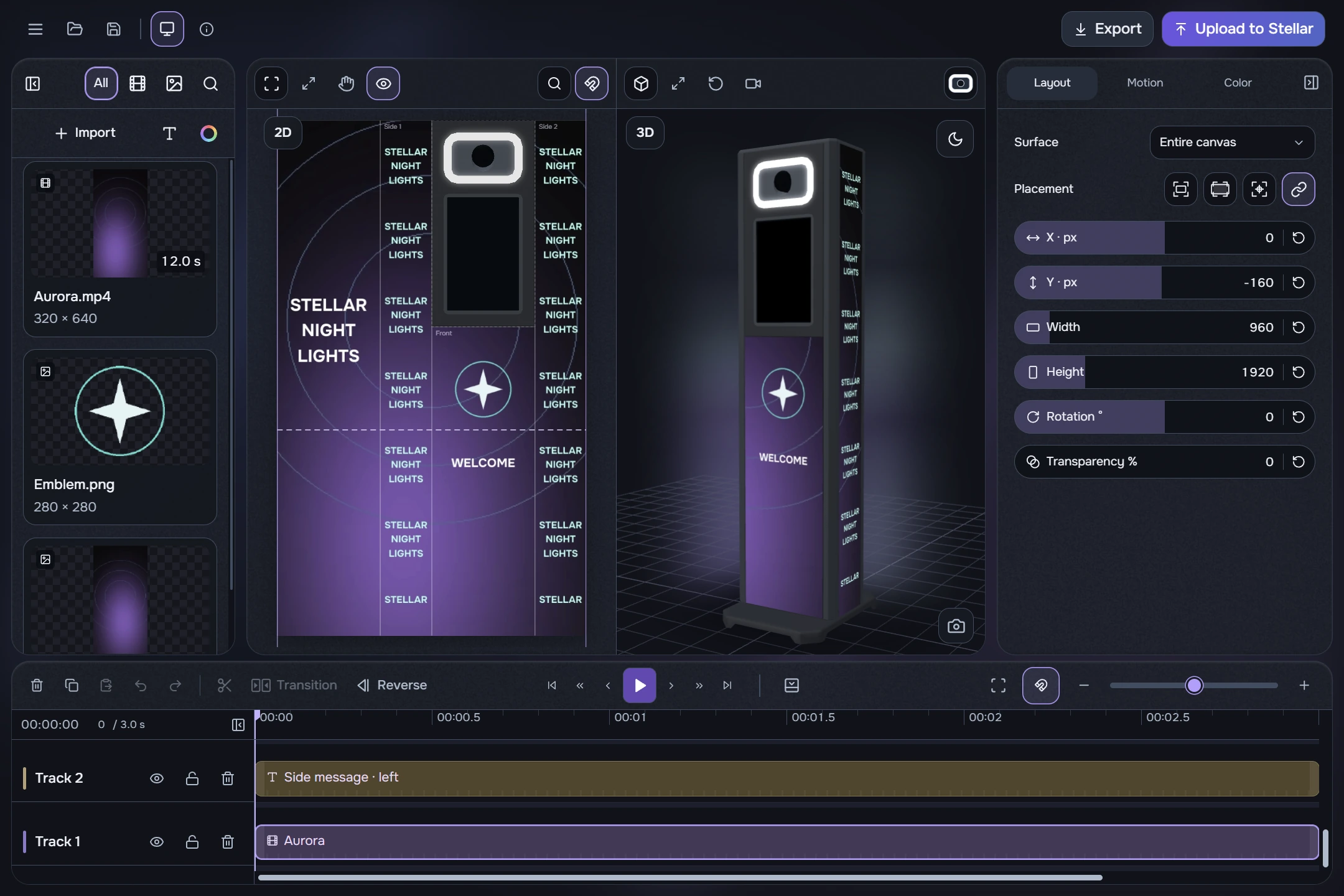
- Left: your media library. Bottom: clips on tracks and playback controls.
- Centre: the 2D canvas and 3D model. Right: settings for the selected layer. “Select a layer” means no clip is selected yet.
- Top: menu, open, save, preview toggle and Info. Export and Upload to Stellar are on the right.
Follow the sections in order: create a project, add a background and text, try a transition, check the booth surfaces and export your video. Audio editing is outside this workflow.