Style the model: body, lighting and monitor
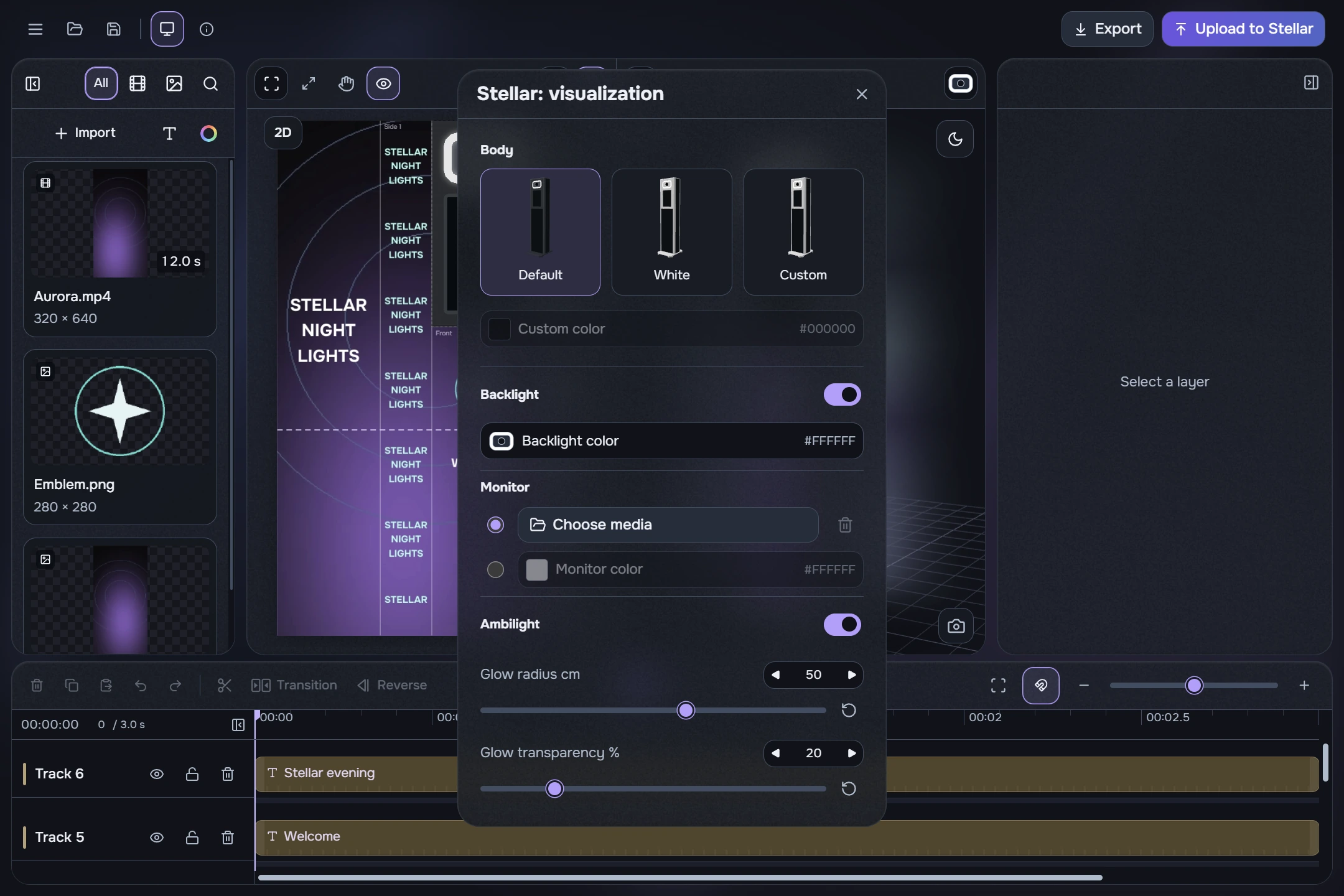
- Body: choose a preset or enable a custom colour.
- Backlight: the switch beside its heading enables light; choose the colour in the picker. Black means no emission. White glass stays white.
- Monitor: select the source beside either the file choice or fill colour. The inactive source is greyed out.
- Ambilight: enable the glow and set its radius from 5 to 80 cm and its transparency. Initial values are 50 cm and 20%.
Open Stellar appearance from the menu or 3D toolbar. The dialog itself is titled Stellar: visualization. Changes apply and save immediately, with smooth colour and lighting transitions. These settings preview the model’s appearance; they do not reconfigure the physical LED controller or add model lighting to exported screen content.