Check booth surfaces and the scene theme
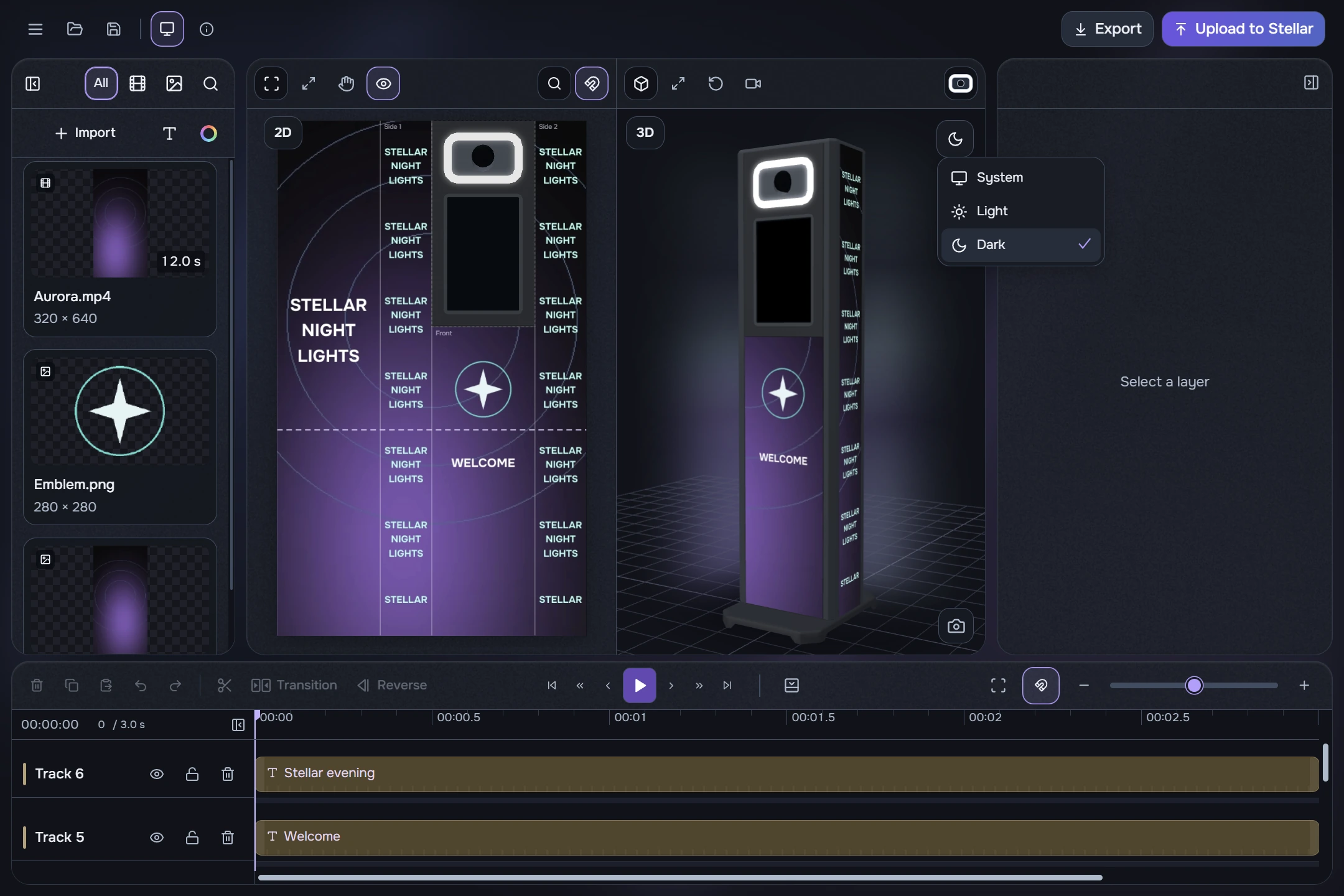
- Orbit the model by holding the left mouse button. Wheel changes zoom; double-click resets zoom. Viewpoint and reset controls are also available in the toolbar.
- Check text, logos and important faces on all required surfaces. Keep text away from joins and panel edges.
- If needed, use the button at the top right of 3D to choose System, Light or Dark scene theme.
- System follows the application’s interface theme. A separate Light or Dark scene affects the scene only; the rest of the editor keeps its current theme.
Surface boundaries in 2D help with placement. Before exporting, play the video from start to finish and check the transitions. If preview quality is reduced, judge final sharpness from the exported MP4.