Set preview quality and acceleration
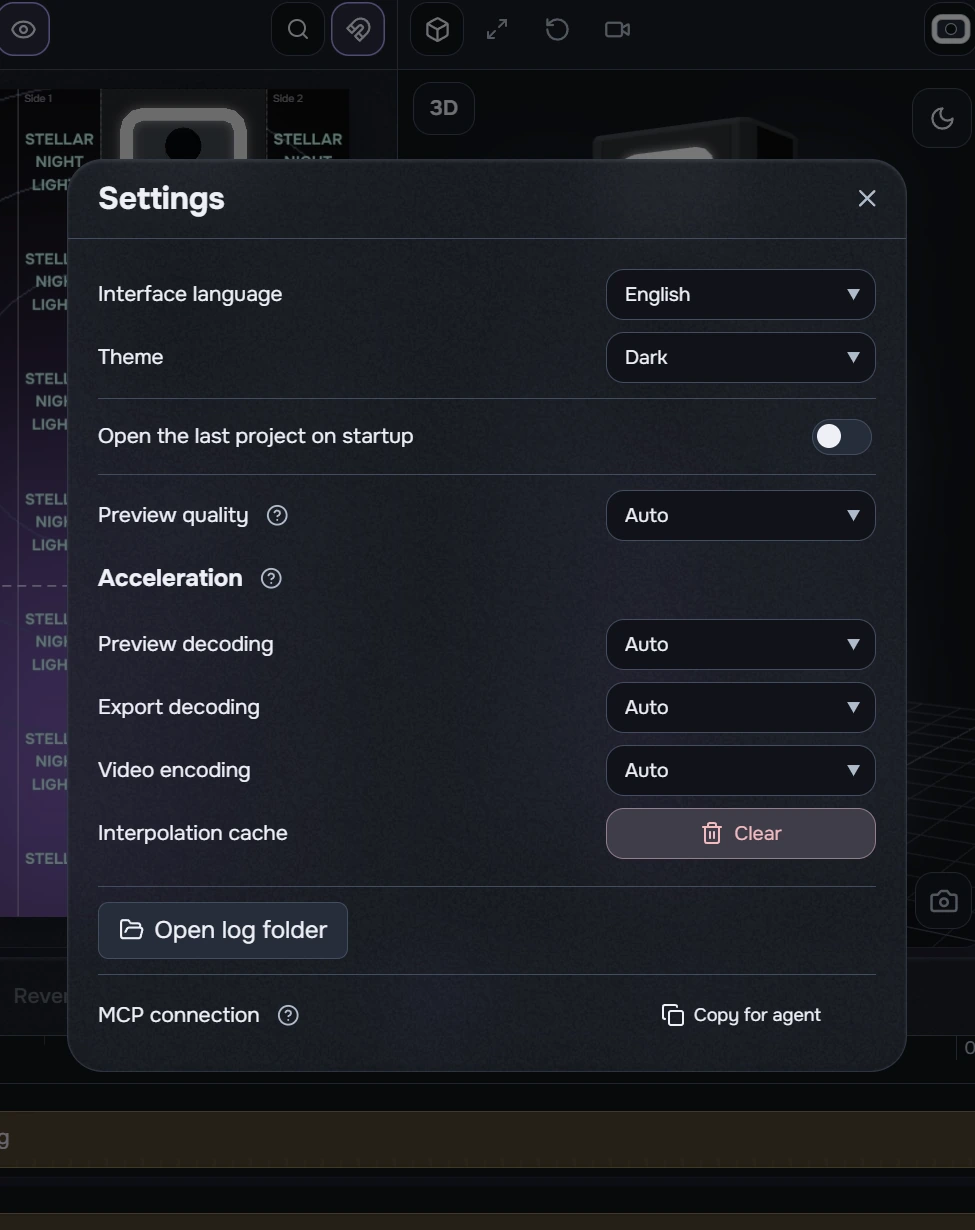
Open menu → Settings for language, theme, last-project recovery, preview quality and acceleration. Changes save immediately. Close with the cross or by clicking outside.
Leave quality and acceleration on Auto. Lower preview quality if playback is heavy; exported MP4 quality is unchanged. Auto adapts to load and may fall back to software.
- Encoding: NVENC — NVIDIA, QSV — Intel, AMF — AMD. Check hardware and driver support; a listed option does not guarantee format support.
- Preview and export decoding: Auto, Software or D3D11VA. Software is used when hardware processing is unavailable.
- Acceleration controls are unavailable during export. Wait for completion or cancel export.
The ? icons show explanations on hover or keyboard focus (Tab). Escape dismisses the tooltip while keeping Settings open.
Clear the interpolation cache
- Next to Interpolation cache, click the red Clear button with the trash icon.
- Read the warning. Cancel keeps the cache; Clear deletes intermediate files.
- Wait for “Interpolation cache cleared.” The button shows a spinner during cleanup.
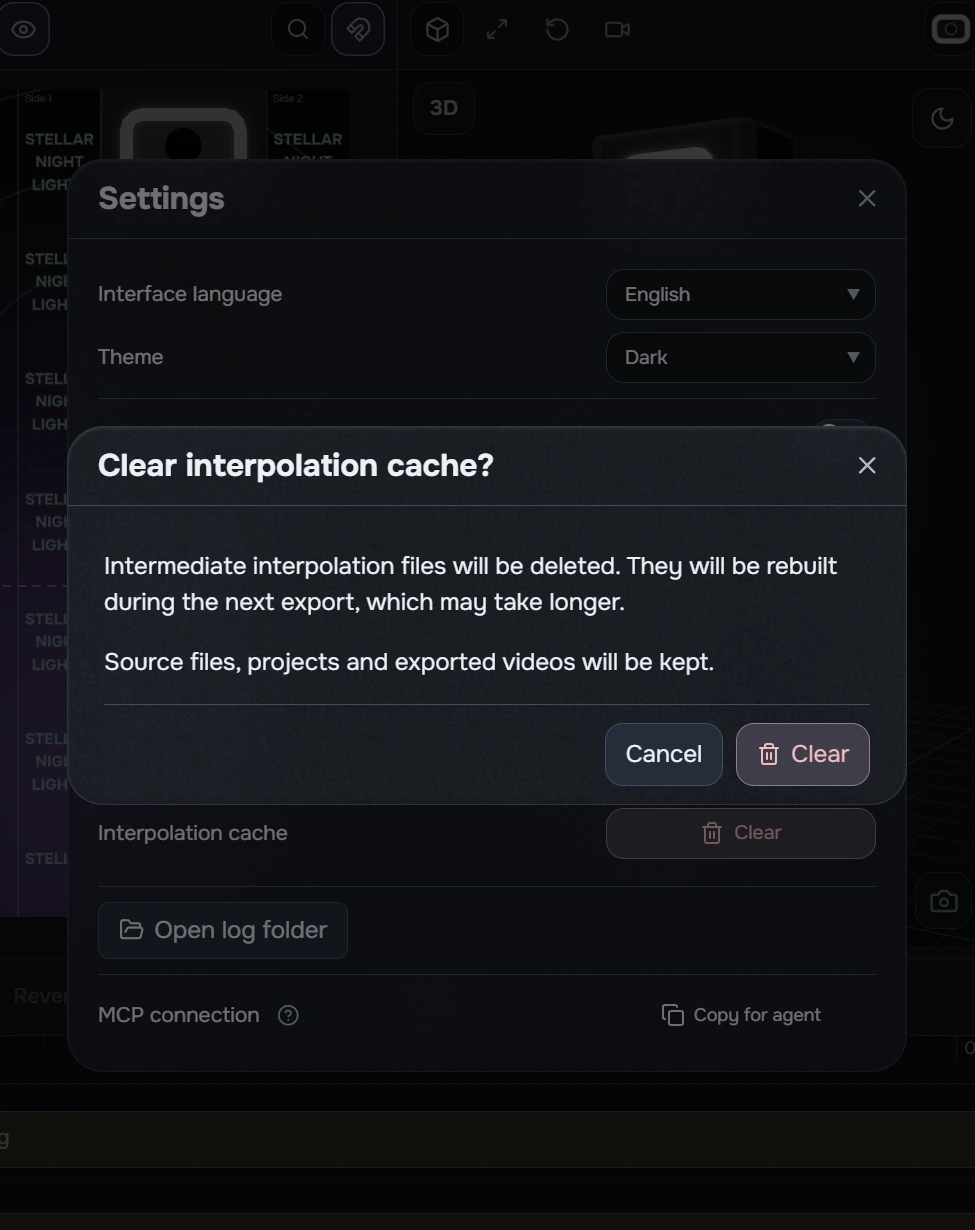
Only intermediate interpolation files and their metadata are removed. Source files, projects and completed exports are kept.
The next interpolated export rebuilds required proxies and may take longer. Cleanup is unavailable during export. If another operation or instance is using the cache, wait for it to finish and try again. Clearing an empty cache is supported.
Connect an agent through MCP
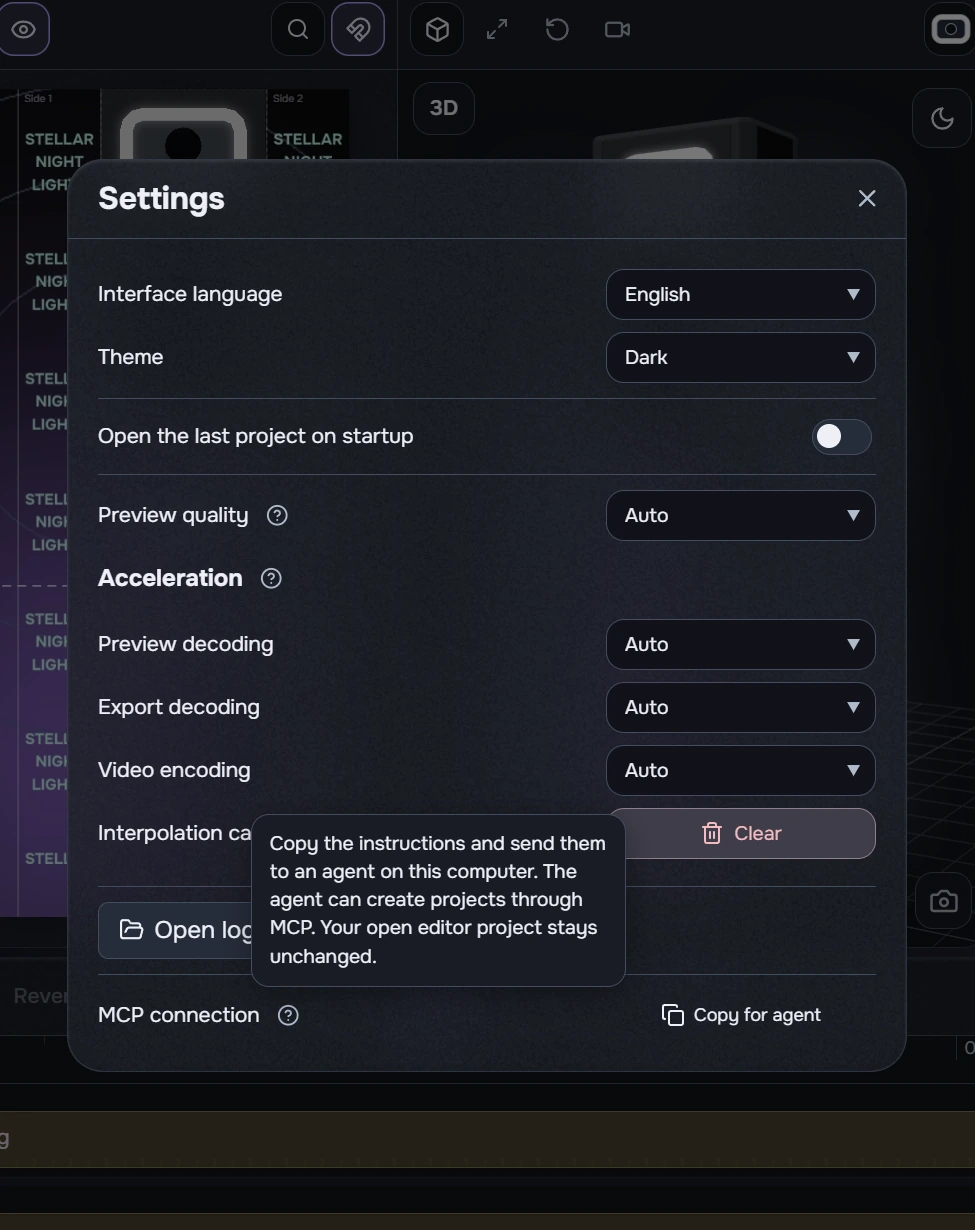
- In Settings, find MCP connection and read the ? explanation.
- Click Copy for agent and paste the instructions into an agent chat on this computer.
- Check which tools the agent can access and describe the project work you need.
Copying provides connection instructions; it does not automatically register the app in a third-party client. An agent can work with a separate MCP project; the project open in the editor does not change by itself. This command does not guarantee compatibility with every external client.