Animate a layer
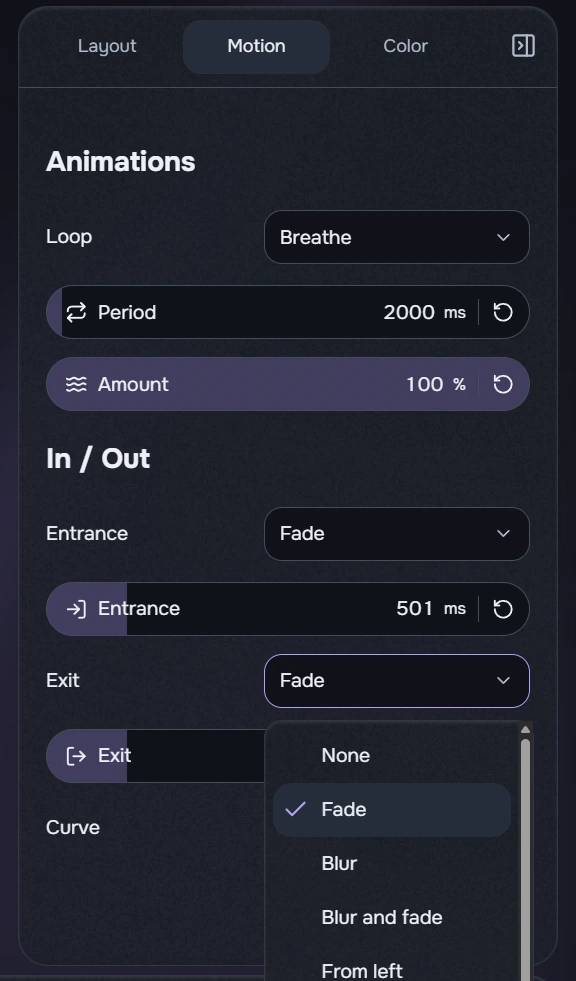
- Select a clip and open Motion. Start with one entrance effect and preview the beginning of the clip.
- After choosing an effect, adjust its duration and any related controls. Exit and looping motion are configured separately.
- Slide automatically moves the layer beyond the corresponding edge. Enable its separate fade option if you also want fading.
- Play the whole clip and make sure the text stays readable. If it feels too busy, remove the loop or use fewer effects.
These settings affect a single layer. Transitions between neighbouring clips use a separate timeline control. Slide does not require a manually entered offset.
Duration, period and intensity use numeric capsules. Enter an exact value on the right or use the strip; each parameter has its own neutral reset.