Add a transition between clips
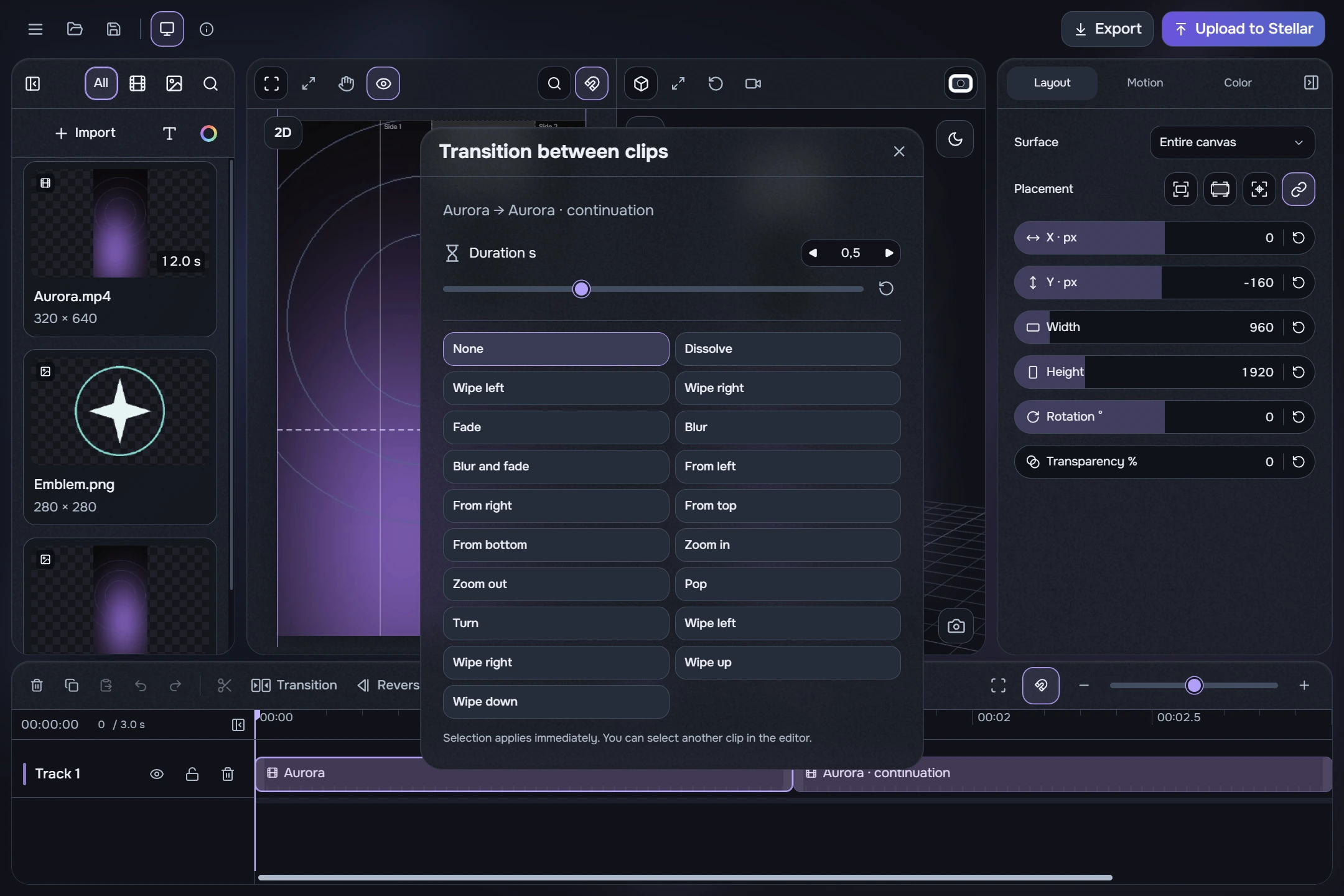
- Select one of the two neighbouring parts of the background video on the same track. Click Transition in the timeline tools or the icon above their join.
- Check the clip pair, choose a type such as Dissolve, and start with 0.5 s. The change applies immediately.
- Place the playhead just before the join and press Play. Check the change between clips, then adjust the type or duration if needed.
- Drag the dialog by its header to move it and continue editing. Selecting another clip changes the dialog’s context. Undo/redo revert and restore changes.
If the dialog is greyed out, read the reason: there may be no suitable neighbour, the track may be locked or hidden, or the clips may be too short. Fix the condition and select the clip again. There is no extra Save button.